
Institution Registration for Hosts
This information is for organizations who host StriveScan events. If you’re a representative looking for information on Institution Registration, see Institution Registration for Representatives.
StriveScan is proud to support many college fairs through Institution Registration. For most fair hosts, the first step to opening registration is completing your Fair Registration Form and Supplemental Form. These forms are specific to your event and will be sent to you by email from StriveScan.
Representative Registration
Once your registration form is ready, StriveScan will send you a unique registration link. Institutions will use this link to register for your event and must be logged into their StriveScan account to access the form. If needed, they can quickly and easily create an account before registering.
The fair will be automatically unlocked for institutions when they submit their registration. There is no code for your event. If you are asked for a code to unlock the fair, it is likely that the university has not yet registered for the event.
Invite-Only Events
If you have indicated to StriveScan that your event is invite-only, you must complete the following steps before sending your invitations to allow invited institutions to register:
- Log into your StriveScan account and navigate to your Transaction Report.
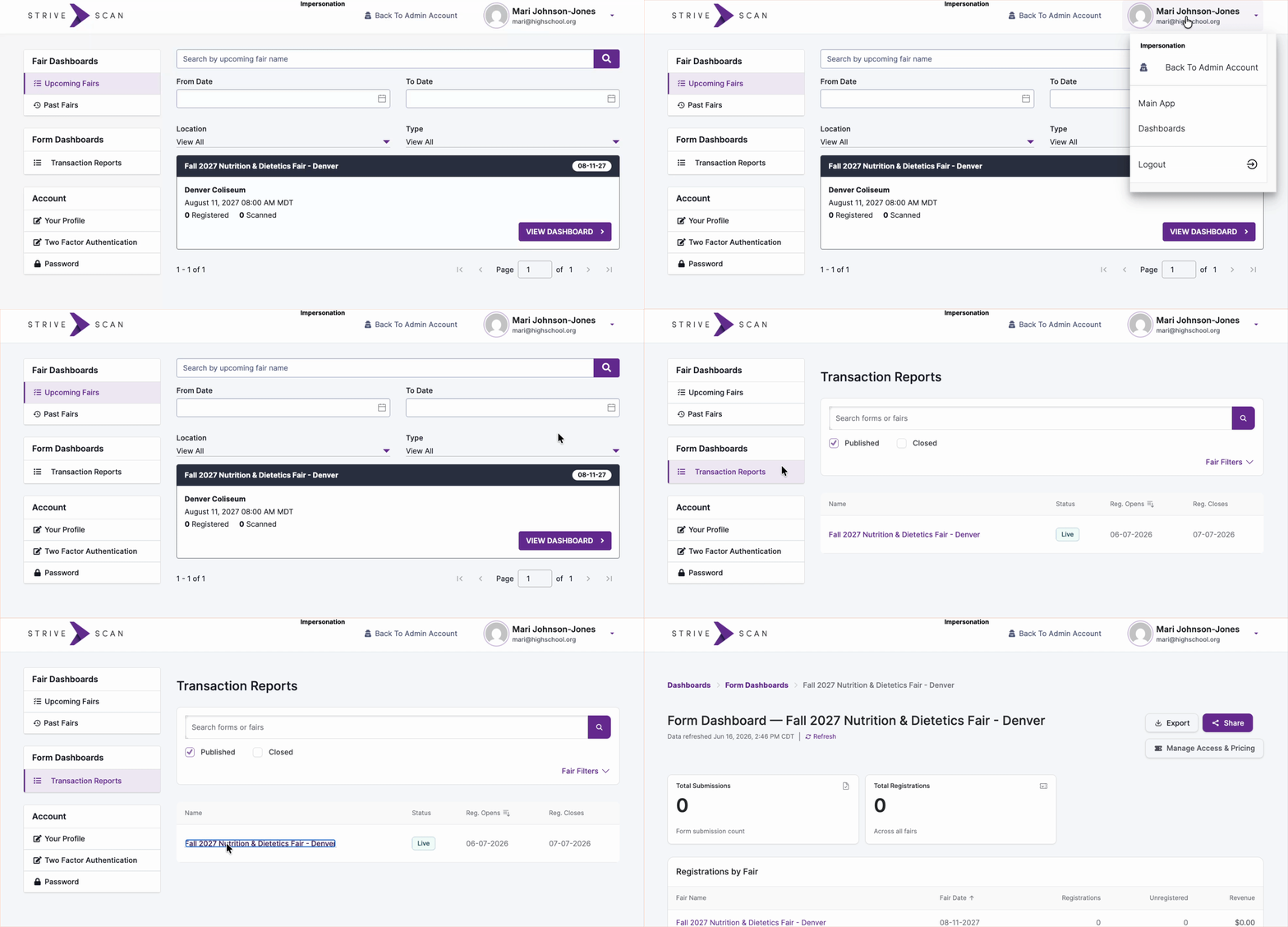
- Click Manage Access & Pricing.

- Under Pricing Group Assignments, click Add Contacts. (You can choose to Add Manually or Copy & Paste.) Add your list of representative email addresses into the Invited Institutions Pricing Group.
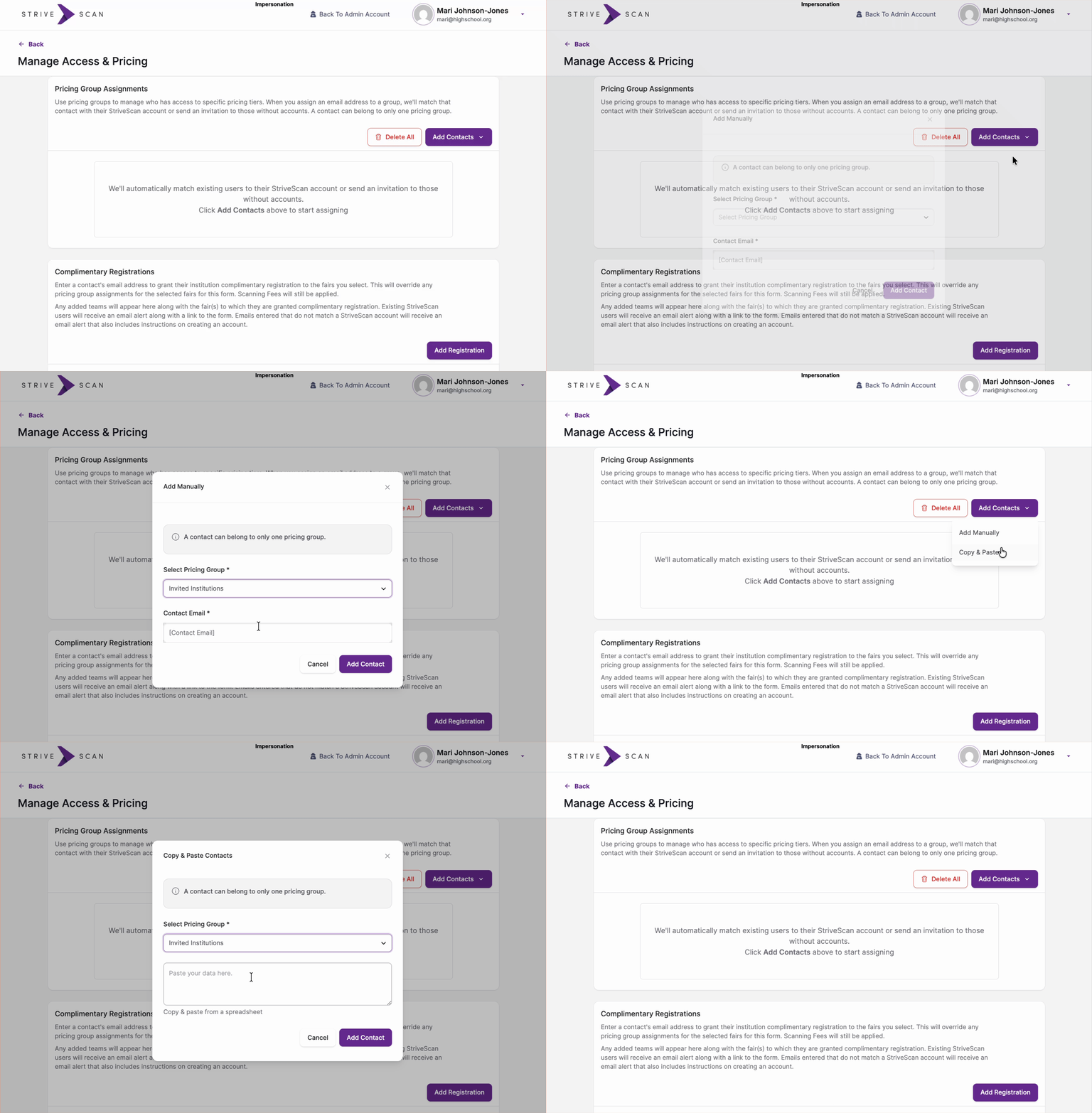
Note: Importing emails does not send an invitation. You’ll still need to invite representatives separately via email. The steps above ensure the registration form is visible to invited institutions.
Complimentary Registrations
You are able to offer complimentary registration to any institution(s) of your choice. StriveScan fees will still be removed from your margin for those who register via Complimentary Registration. Complete the following steps to allow institutions to register without submitting payment:
- Log into your StriveScan account and navigate to your Transaction Report.
- Click Manage Access & Pricing.
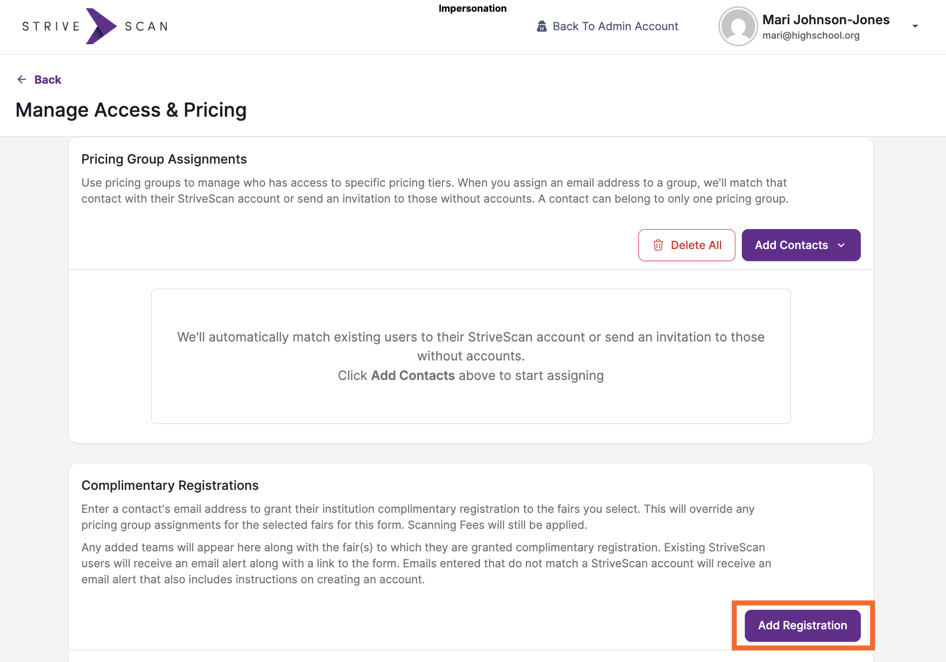
- Under Complimentary Registrations, click Add Registration.
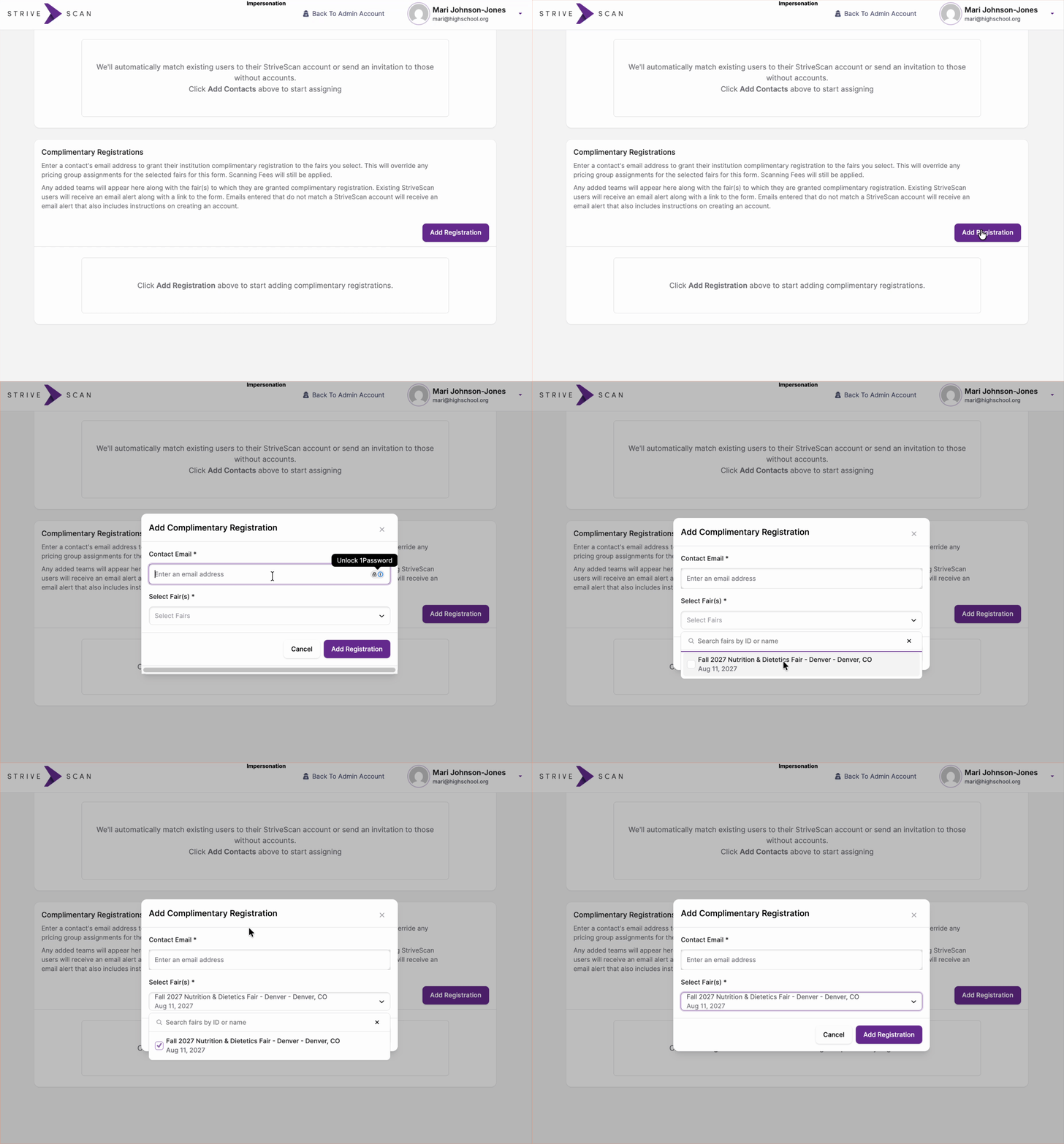
- Enter the Contact Email, and use the Select Fair(s) dropdown menu to designate which fair(s) the rep should be able to register for without paying a fee. Click Add Registration.
If your event is Invite-Only, you must also add the same representative email to the Invited Institutions Pricing Group (see above).
Other Adjustments
If you need to make any other adjustments to your registration form (e.g. capacity, close date), please email StriveScan at help@strivescan.com and our team will be happy to assist you.